
























Epson 4720
DTF Survival Companion
Epson 4720 Print Head
DTF Survival Companion
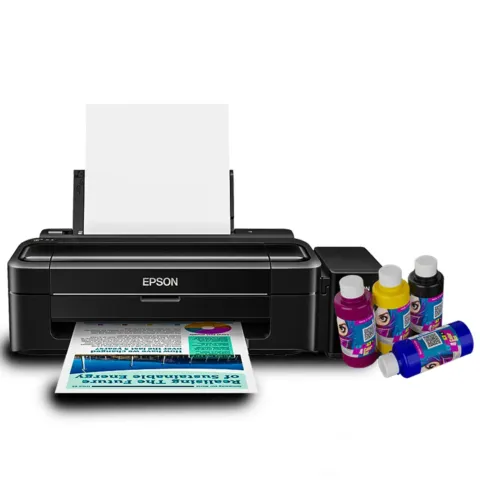
The Epson 4720 head is popular in budget and mid-range DTF printers because it prints exceptionally well and costs less than industrial heads like the Epson I3200. Unfortunately, DTF white ink behaves like wet cement mixed with toddler chaos. If you ignore maintenance for two days, the printer starts plotting revenge. Use this portal to track checklists, simulate environments, and run smart diagnoses.
BIGGEST ENEMIES OF YOUR PRINT HEAD
These six factors will destroy your nozzles fast. Avoid them at all costs!
White Ink Sediment
Settles rapidly into hard sludge
Dry Nozzles
Clogged open-air ink path
Dust/Powder
Hot-melt powder contamination
Excessive Cleaning
Pumping cycles wear out caps
Low Humidity
Accelerates drying & static
Long Idle Time
Static ink becomes geology
Daily Interactive Maintenance Checklist
Check off tasks as you complete them to track your print-head health status in real time.
Before Printing
During Printing
Adjust the sliders to simulate the operator room. High static or high heat will ruin your prints!
End of Day Procedures
4720 Print-Head Diagnostic Wizard
Select your symptom to receive targeted step-by-step diagnostic actions designed specifically for the Epson 4720 architecture.
Problem: Nozzle check shows weak white or missing white entirely.
- Check dampers: Since white is highly prone to settlement, take off the carriage cover and verify if white ink dampers are filled up to 85% minimum. If they are filled with air or half-empty, draw ink through the nozzle end with a syringe.
- Check the inline white ink circulation loop filter. If clogged with sedimented white particles, replace immediately.
- Verify pump line: Run a manual syringe suction from the waste ink tube under the capping station to see if ink flows without resistance.
- Run a 10-second dampening purge from the RIP control instead of heavy power cleans, which often burn driver chips.
4720 Maintenance & Strategy Cards
Searchable repository of configurations, replacement manuals, and operational hacks.
How to Bleed Dampers Properly
The Epson 4720 dampers have a internal film membrane. If air occupies more than 30% of the damper volume, starvation occurs. Extract air using a plastic-tip syringe. Insert at a 45-degree angle, draw slowly until ink fills the syringe cleanly, then reinstall.
Ideal Under-Base Densities
For standard textiles, set RIP Under-Base resolution to 720x1440 DPI (instead of 1440x1440). This prevents overly thick pools of white ink that remain wet beneath the surface, resulting in cracking after curing.
Safe Cleaning Fluids Guide
Never use standard glass cleaners or pure Isopropyl Alcohol (IPA) on 4720 heads. IPA strips the internal hydrophobicity layer, causing immediate horizontal bleeding. Use only glycol-based, specialized mild cleaning solution designed for pigment ink DTF devices.
Head Cable Shielding Inspection
Head flat ribbon cables carry high-voltage fire signals. If liquid drips down the back of the carriage, it travels straight into the head contacts. Wrap ribbon cable connections in premium electrical tape or secure with an engineered drip shield.
White Under-Base Choke Rules
White ink must never peek out from beneath your colored vectors. Always configure a 2-pixel to 3-pixel White Choke in CADlink or AcroRIP. This shrinks the white silhouette, hiding registration errors.
Weekend Vacation Shutdown Mode
If leaving the printer idle for 3 to 7 days, inject Moisturizing Liquid (Humectant Fluid) directly onto the capping station sponge until saturated, dock the carriage, and cover the entire carriage track assembly with a clean plastic film to trap moisture.
Live Operator & Maintenance Logbook
Log cleanings, nozzle scores, and damper replacements to build a record of performance.
| Timestamp | Category | Symptom / Score | Details / Actions |
|---|---|---|---|
| No operational logs recorded for this session yet. Submit a log on the left. | |||